Product updates
Tender documents with their original layout
Read tender documents with their tables, images and page layout in Cobrief. Zoom in, follow source references and keep working in the same place.
Tables that lose their layout make tender documents difficult to read. Many users have downloaded the files and opened them locally instead. You can now read new Word and PDF documents with their original layout directly in Cobrief.
Read documents where you work
The document viewer preserves fonts, margins, images, tables, headers and footers. You get more of the context around a requirement, including details that depend on their position on the page.
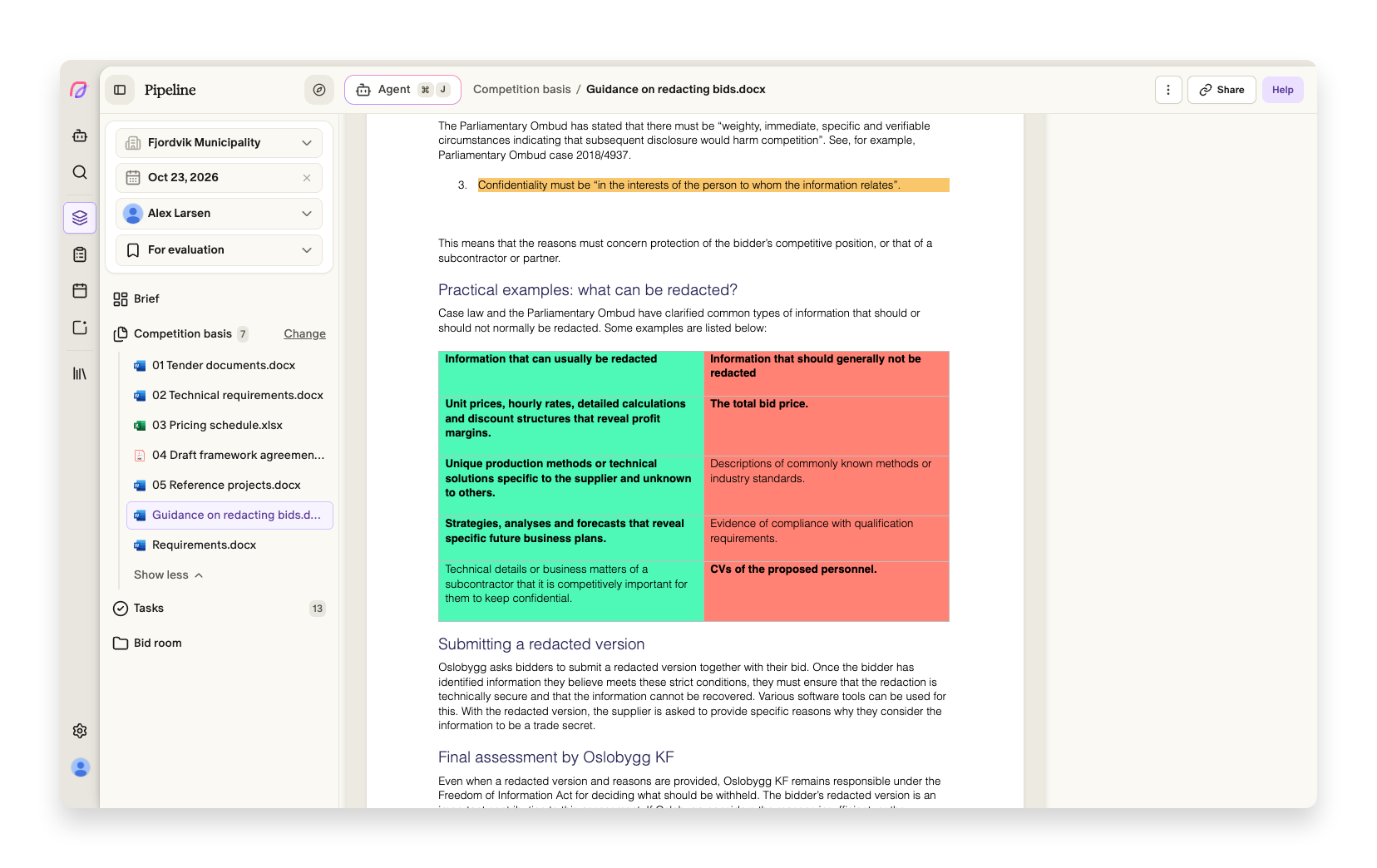
Open Tender documents, choose a file and adjust the view with the zoom controls. Zoom in on a dense table or fit the page to the available width. For PDFs, Show PDF opens the original PDF.
You can still select text, ask questions about the content and follow source references from the assessment. That makes it easier to check an answer against the document and continue working on the bid in the same place.
Older documents and file types that do not support the new viewer continue to use the simplified text view. Excel files also use this view. The new layout applies to viewing the tender documents.
Read more about document viewing and zoom.
Document viewer improvements
- Brief
Word viewing handles page breaks, repeating table headers and page headers more accurately across multiple pages.
- Brief
Drawings, backgrounds and columns with different widths render more accurately in Word documents.