Product updates
Results in tender search
Track contract awards, voluntary ex ante transparency notices and cancellations in search, the pipeline and tender alerts, with the winner and contract value in one place.
It is easy to follow a tender until the submission deadline, but harder to find out who won and what the contract was actually worth. The result is often published long after the bid work has ended. Cobrief now tracks result notices from Doffin and TED as part of your company's tender search.
New results are kept separate
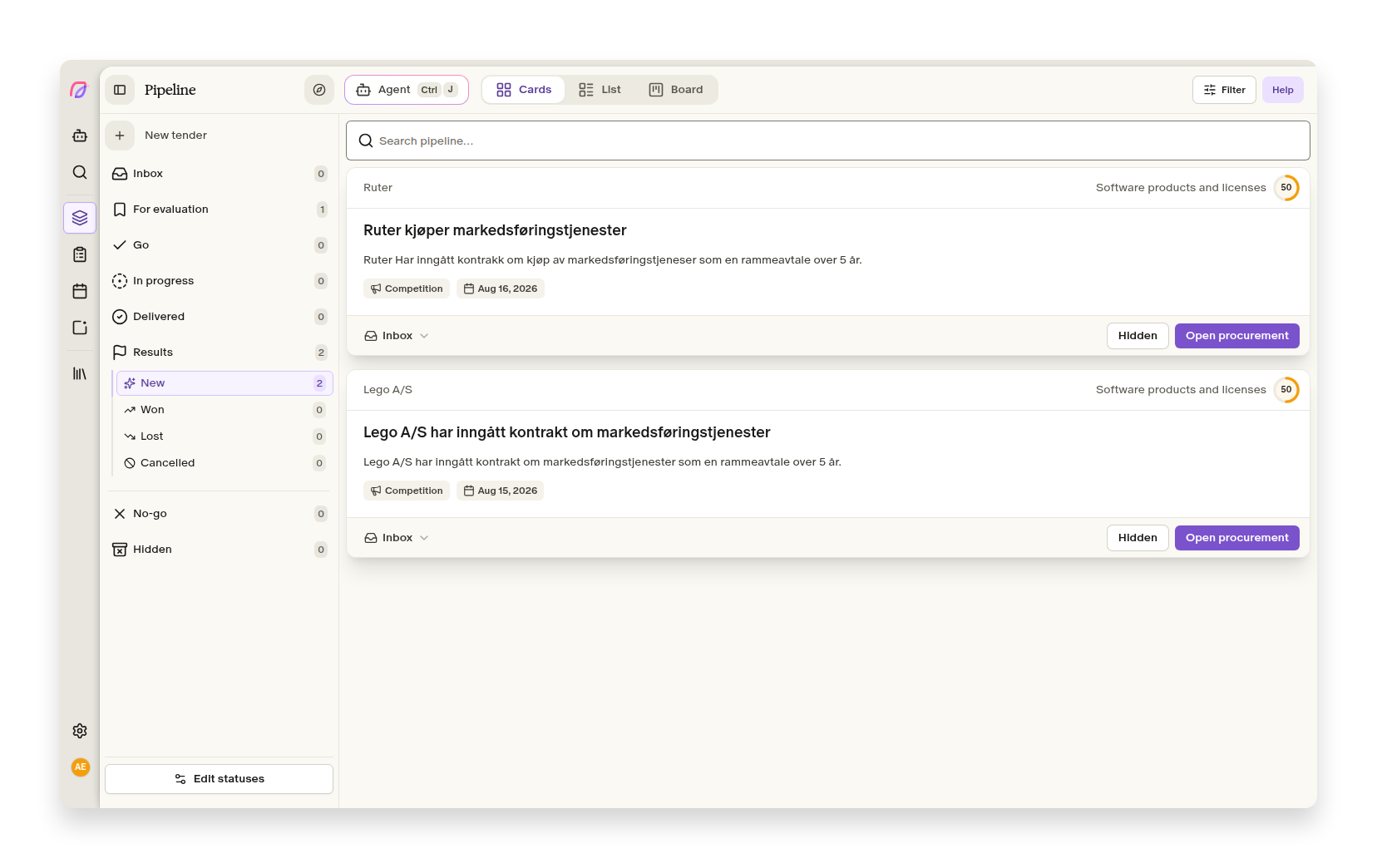
Contract awards, voluntary ex ante transparency notices, contract modifications, and cancellations that match the search profile appear under Pipeline → Results → New. Here you will find results from the past two months, sorted by publication date. They are not mixed with active tenders in the inbox, and older results automatically leave "New" when they no longer need attention.
Open Search and select the results stage to explore a broader set of notices. The list shows who won, how many bids were submitted, the actual and originally announced contract value, and any available result documents. This lets your team follow competitors, compare outcomes with its own assessments, and spot contracts that may be put out to tender again.
Results are included in tender alerts
Tender alerts now also include new results that match the search profile. The morning email briefing has a separate results section, while Slack and Teams alerts count results alongside new tenders. In the pipeline, active and concluded tenders remain separate.
The results stage is enabled for every workspace. Administrators who only want to follow planned and active tenders can turn it off under Settings → Tender search → Search overview.