Product updates
New Morning Brief
The Morning Brief makes new and updated tenders faster to assess, with a top match, short summaries, and links to the exact same selection in Cobrief.
A tender alert should help you decide where to spend your time, not move the entire search into your inbox. The new Morning Brief makes the most important matches easier to assess at a glance and takes you to the right selection in Cobrief when something looks interesting.
Top match and updates are clearly separated
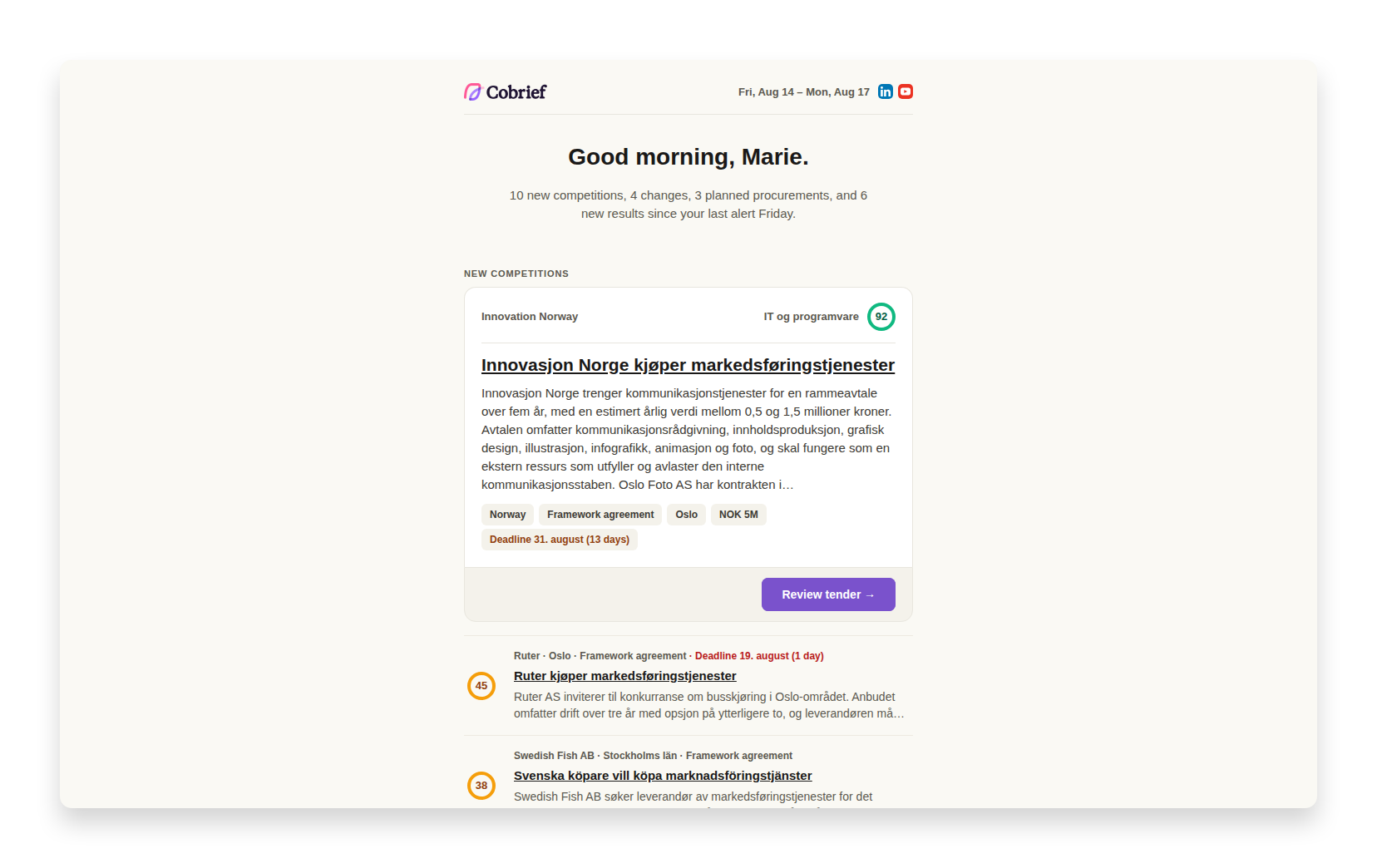
The scheduled Morning Brief opens with the number of new matches and highlights the best one. The card shows a short summary, deadline, and relevance score, with a clear action for assessing the tender in Cobrief. Other new matches are grouped below, while updated tenders, planned opportunities, and results each have their own section. This means you no longer need to interpret a long, flat list to understand what has actually happened since the last briefing.
The cards are easier to scan on mobile devices and in email clients with limited support. The entire row is clickable, the copy is tighter, and labels and colours are used consistently across sections.
Continue with the same selection in Cobrief
When you open an alert, the pipeline shows which notices were included in that specific email. The tabs follow the same groups as the email, so "new tenders", "updates", and "results" mean the same thing before and after you click. The link for more matches also opens the complete selection, not a new search that may have changed since the email was sent.
Alerts sent immediately now have their own New tender variant with the same visual language, focused on a single match. Saved searches are also clearly distinguished from your company's Morning Brief, so recipients can see which type of alert they received.
More improvements to emails
- Tender search
The Morning Brief now renders more reliably in Outlook, on mobile devices, and in dark mode.
- Tender search
Invitations, collaboration alerts, and other emails from Cobrief now use the same header, button style, and colours.
- Tender search
Links for unsubscribing and managing saved searches are clearer and more reliable.
- Pipeline
The pipeline can now be filtered by scheme type to find framework agreements, qualification schemes, and dynamic purchasing systems, and scheme type can also be shown as a sortable list column.
- Pipeline
Deadlines can now be removed from private tenders.