Product updates
More tools for the AI bid manager
Connect the AI bid manager to Linear, Notion, Jira, Confluence and Oda, choose which conversations can use them, and control what the agent is allowed to do.
Much of the knowledge and follow-up involved in bid work lives in other systems. When the agent cannot access it, your team has to find the information and move it between tools. You can now connect the agent directly to more of the systems your team already uses.
Connect the systems you work in
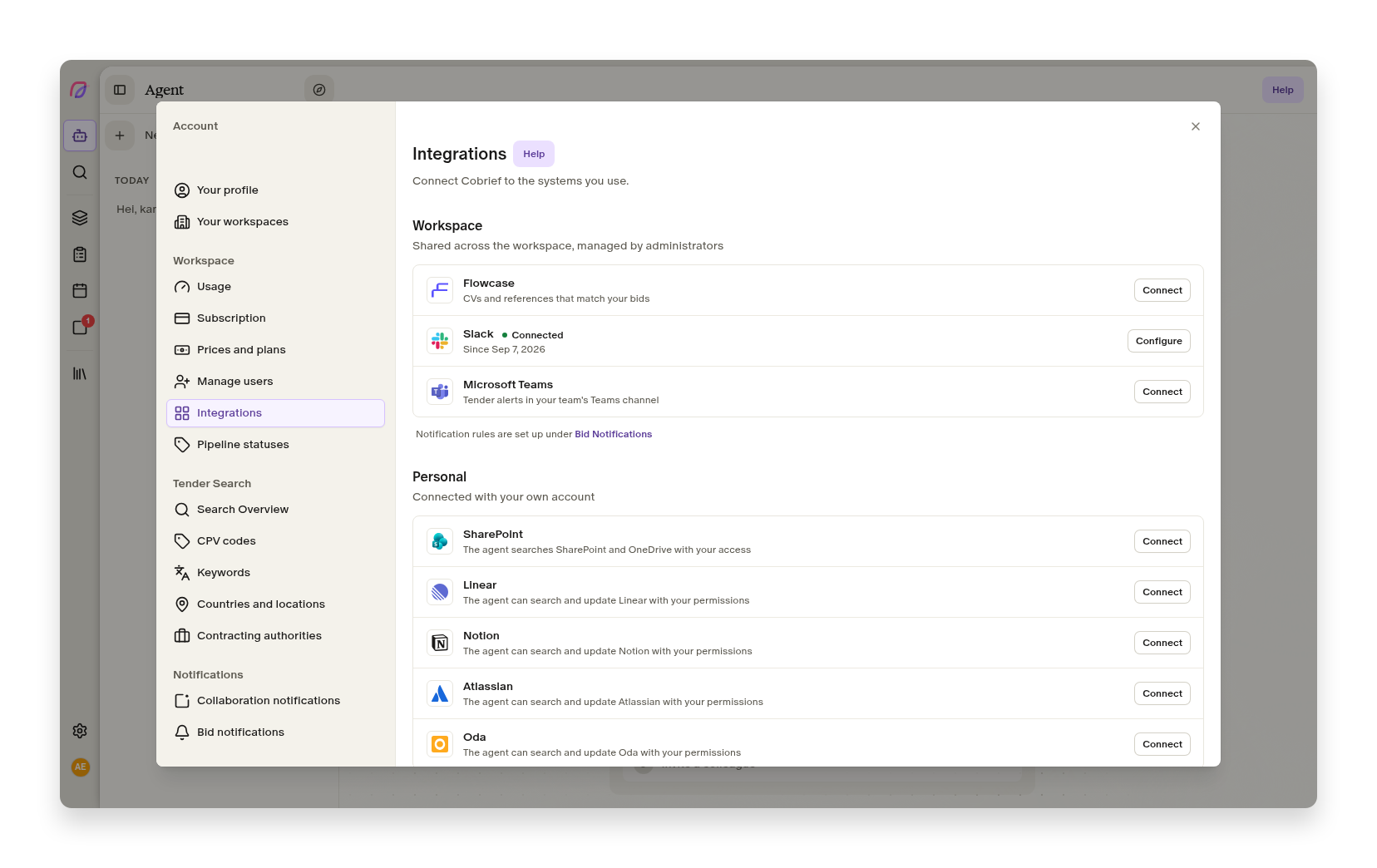
Under Settings → Integrations, each user can connect the agent to Linear, Notion, Atlassian for Jira and Confluence and Oda. These join the existing connections to SharePoint, OneDrive and Flowcase.
The connections use the access you already have in the source system. This means the agent can find a relevant Jira issue, read a page in Notion or use context from Linear without the content first being copied to Cobrief. The available actions depend on each system and the user's own permissions there.
When you start a conversation, you can turn connections on or off from the plus menu beside the message field. Your choice applies to that conversation, so the agent can only access the sources relevant to the task. You can also set the default before starting a new conversation.
Decide what the agent is allowed to do
A connection can give the agent both read-only tools and actions that change something in the external system. Administrators can therefore manage permissions for each tool across the workspace.
A tool can be allowed, require approval or be blocked. Reading is generally allowed, while actions that write or change data ask for approval. When approval is required, the agent pauses before carrying out the action and shows what it wants to do. You can approve or reject it directly in the conversation.
This lets the team use more up-to-date context without giving the agent unrestricted permission to make changes. Connections can also be removed at any time in the integration settings.
More improvements to the agent
- AI bid manager
New users get a single getting-started guide and a personal activity overview on the agent surface.
- Connectors
The agent starts faster in workspaces with large numbers of CVs and reference projects from Flowcase.
- AI bid manager
Conversations can continue even if they previously used an AI model that is no longer available.