Product updates
Mentions that bring the team together
Type @ in comments on tenders and bid tasks to notify the right colleague and take them straight to the conversation that needs their attention.
Discussions about a tender often happen in Cobrief, while the request to follow up has to be sent somewhere else. You can now mention a colleague directly in a comment, keeping the conversation and notification in one place.
Bring the right person in with @
Type @ in a comment on the tender or a bid task. Cobrief shows the people in the workspace, and you select the person who should see the comment. The mention appears in the text, so everyone reading the conversation can see who the question or follow-up is for.
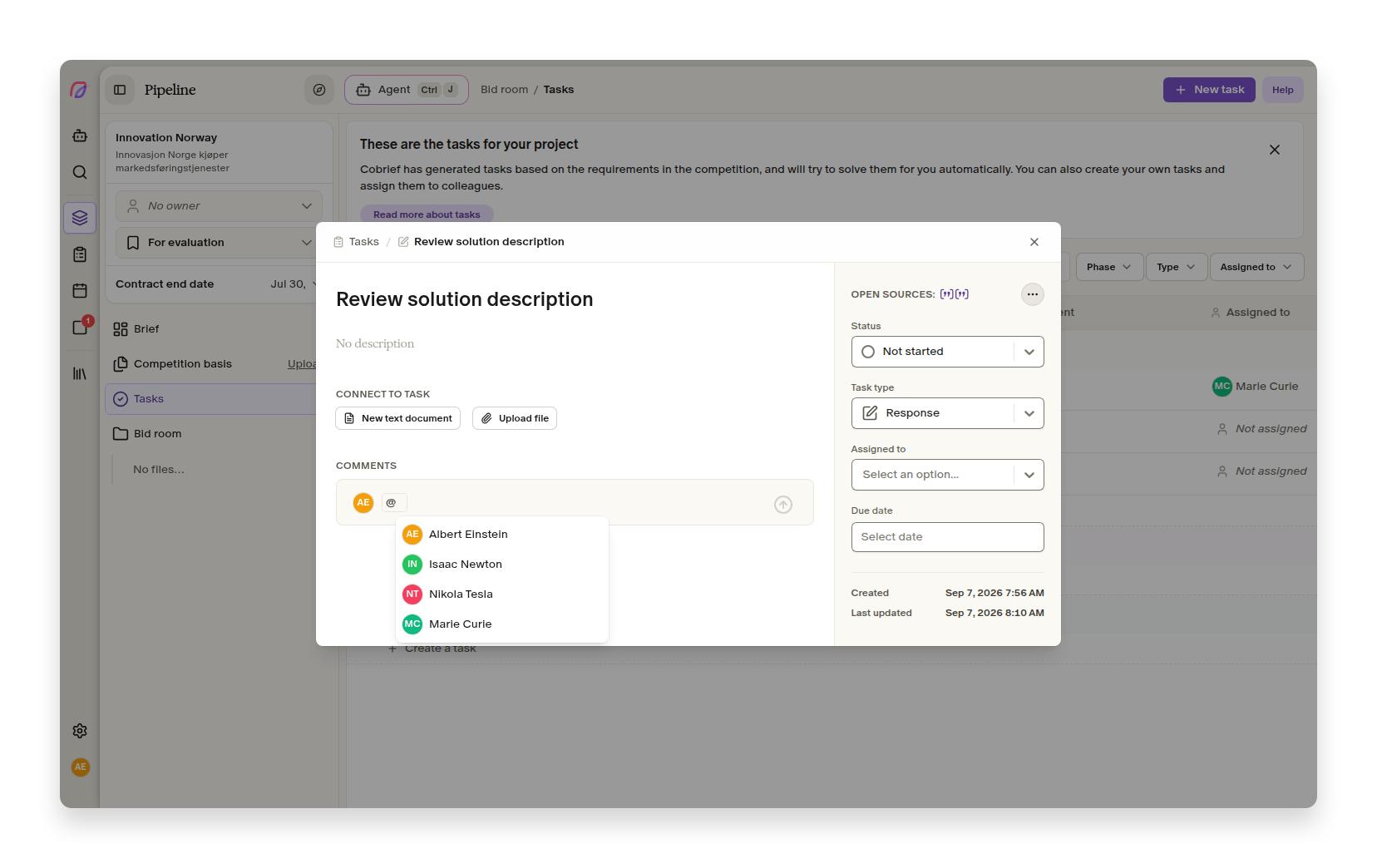
This works for quick clarifications and tasks that need a particular specialist. You can ask a colleague to check a requirement, answer a question or review a response without creating a separate task just to get their attention.
The notification opens the right conversation
Your colleague receives an activity notification when the mention is saved. If email notifications for collaboration are enabled, they also receive it by email. The link opens the tender or bid task with the comment visible, so the recipient does not have to search for the context.
When a comment is edited, only people mentioned for the first time are notified. Unchanged mentions do not trigger new notifications, and you are not notified when you mention yourself. This keeps the activity list tidy even if the comment is updated several times.
Mentions work for both existing members and invited users in the workspace. The team can therefore use the same workflow as soon as an invitation has been sent.
More improvements in this release
- Tender search
Large result lists load more smoothly, and counts above 10,000 appear without first counting the entire result set.
- Tender search
Saved searches now support the same Danish and international location filters as tender search.
- Tender search
Suggested evaluation criteria no longer repeat active keywords in another grammatical form.
- Onboarding
The trial now includes more AI capacity, allowing new users to test more of the bid workflow.
- User management
Sign-in is clearer on public pages, and notification links offer to switch to the correct workspace when needed.
Smaller fixes and polish
- Tender search
The morning brief opens multiple matches correctly in classic Outlook and follows the same order as the pipeline when relevance scores are equal.
- Tender search
The morning brief shows a useful preview in Apple Mail when a tender has changed.
- Tender search
Multi-stage tenders are no longer shown as expired just because the prequalification deadline has passed.
- Onboarding
The verification link in the in-app notification works again.
- User management
Users without access now see a clear page instead of a broken app shell.