Product updates
Integrations on one page
Slack, Teams, Flowcase and SharePoint now sit in one list with status and the buttons you need, and the agent points out what is not connected yet.
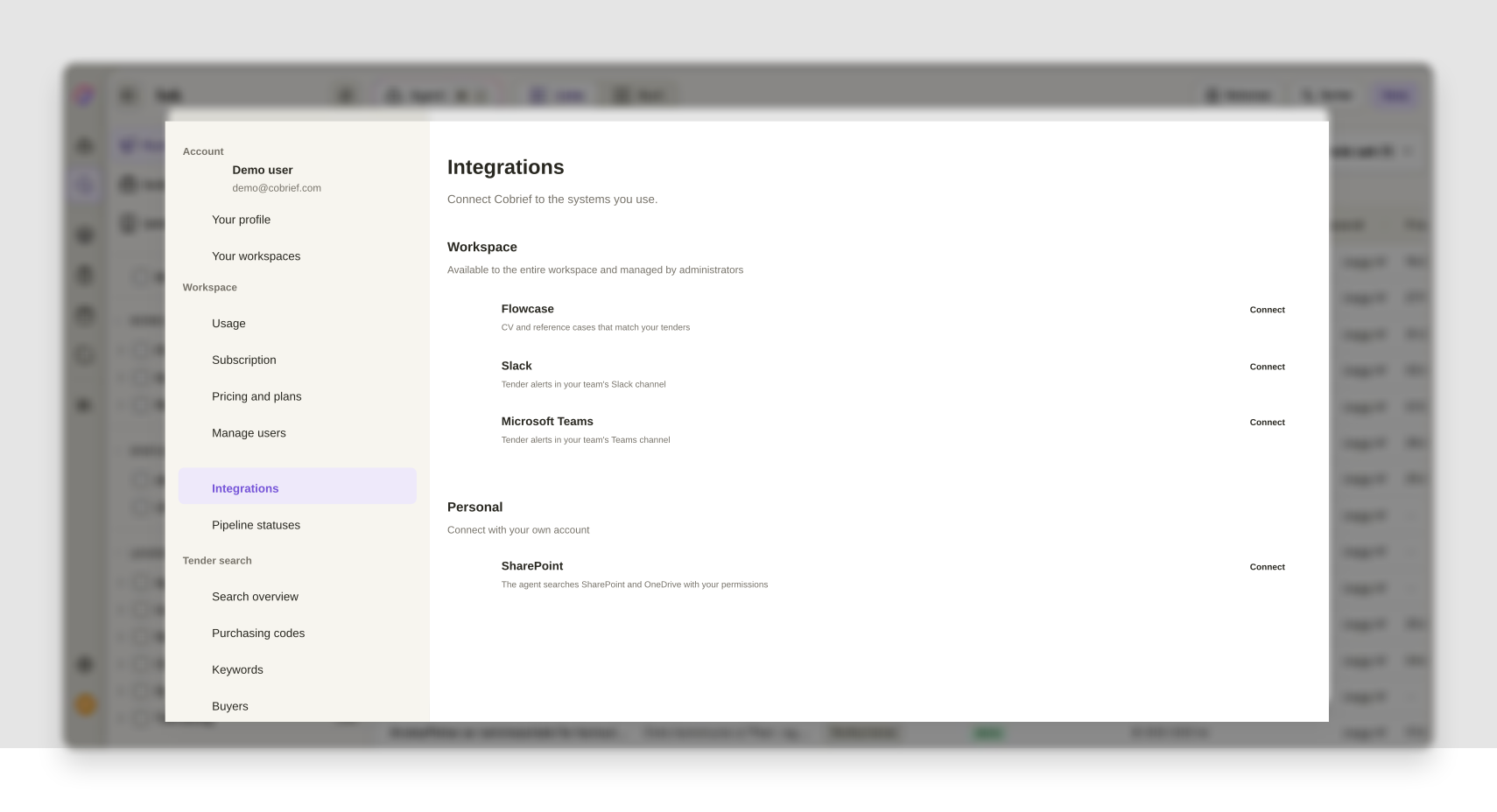
Slack and Teams have long been set up under Tender alerts, while the Integrations tab showed only some of the systems you actually connect Cobrief to. If you wanted to check whether Slack was still connected, or who had connected SharePoint, you had to know where to look. Now it is all on one page.
Every integration in one list
The Integrations tab has been rebuilt as a single row list, split into Workspace and Personal. Flowcase, Slack and Microsoft Teams are shared across the workspace and managed by administrators. SharePoint connects with your own account, and gives the agent access to the documents you have access to yourself.
Each row shows the name, a short explanation of what the integration does for you, and its status. If it is connected you see a quiet dot along with the account and date, and the buttons sit right there in the row: Configure and Disconnect, with no hidden menus to dig through. If access has lapsed, the row says so immediately, with an explanation and a button to reconnect. The confirmation when you disconnect now tells you what actually happens to your alerts.
Alert rules still live under Tender alerts, and there is a link to them at the bottom of the page so nobody searches in vain. An overview of what Cobrief connects to is in the help centre, along with the setup for alerts in Microsoft Teams.
The agent points out what is not connected
If something is still unconnected, a discreet drawer sits below the composer on the agent surface: "Connect Cobrief to your apps", with the logos of whatever is missing. Hover a logo and the text switches to what you get out of it, for example alerts about new tenders in Teams. Click, and you go straight to where the connection is set up.
The drawer disappears on its own once everything is connected, and you can hide it with the cross if it is not relevant to you.
Improvements in this release
- Market insights
Email, phone and website in the insight panels are clickable, so you get in touch with the supplier or buyer directly.
- Proposals
The empty agent chat in the bid room has a Quality assurance category with suggestions for the rounds before submission: proofreading, checking against the requirements, risk analysis and mandatory requirements.
- AI bid manager
The Agent button shows the status of the task it opens: that the agent is working, that it is waiting for an answer, or that it finished while you were somewhere else.
- Pipeline
You can open the pipeline status settings straight from the pipeline, instead of finding your way there via the workspace settings.
- Tender search
View options in search now live in the address, so a link carries the way you were looking at the results.
- User management
Relative timestamps show the full date and time when you hover them.
Smaller fixes and polish
- Connectors
Lost Slack access is now shown even if you have no alert rules set up.
- Pipeline
A custom status can be archived once the tenders have been moved off it.
- Tender search
Fixed sorting and the result counter in the search summary.
- Tender search
An error in the test alert no longer locks the save button, and the ghost row when creating an alert rule is gone.
- Tender search
New exemption codes for award criteria from Doffin are now read correctly.
- Proposals
Submission deadline is used consistently as the term in the bid room.