Product updates
From assessment to bid, faster
Relevant tenders are prepared in advance, with assessments, deadlines and tasks. Spend less time waiting and get started on your bid sooner.
Your time should go into the bid. Relevant tenders are now prepared in advance, with an assessment, deadlines and tasks. When you open a tender that has finished processing, you can move straight into bid work.
From a prepared assessment to a first draft
The assessment gives you a summary of the competition, award criteria, qualification requirements and contract terms. Deadlines appear in the timeline, and tasks show what your team needs to answer, document or fill in.
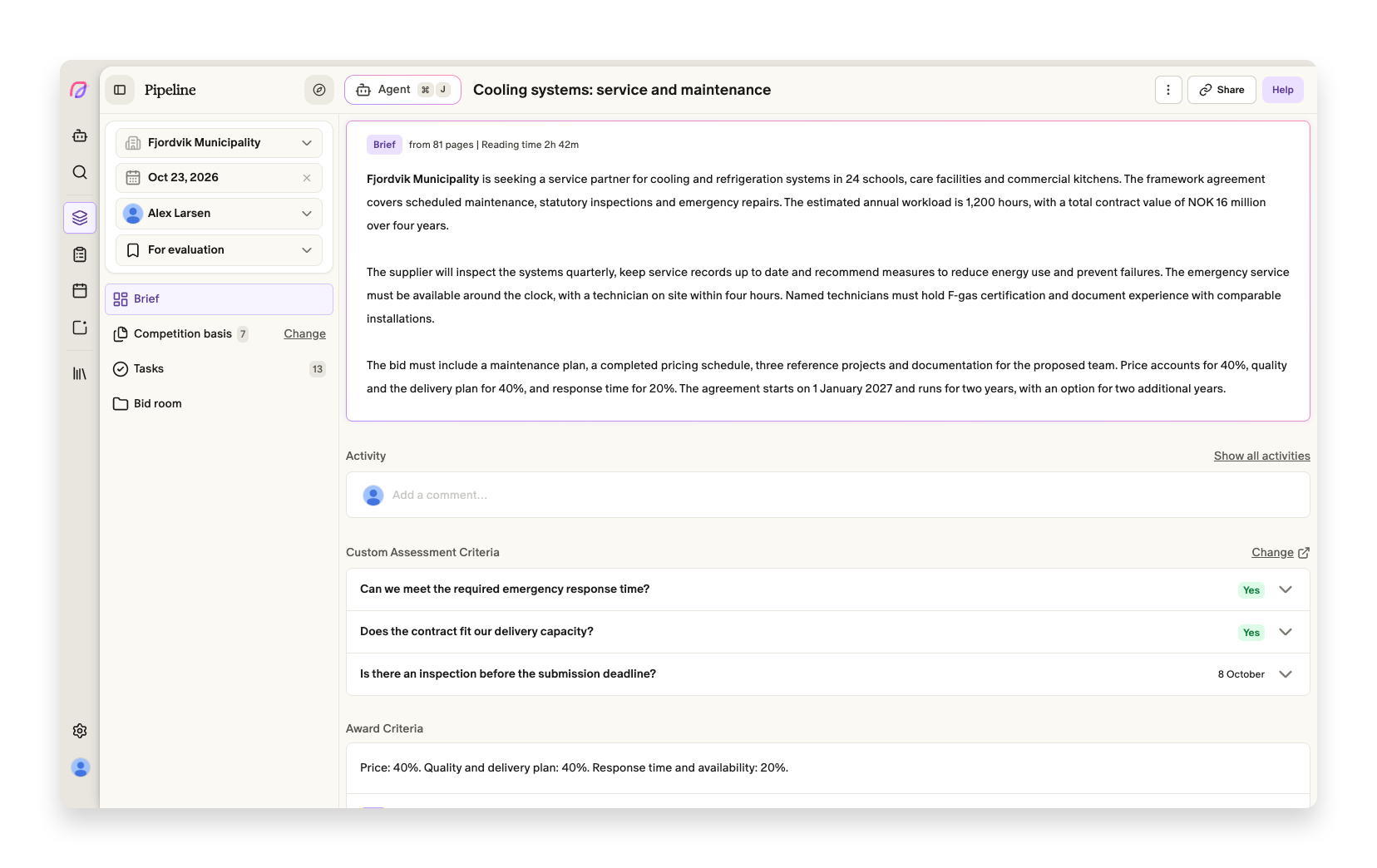
Use the overview to decide whether to participate. If you proceed, open Bid room to create a first draft. The tasks come with you, so your team can assign work and check the deliverables.
Some tenders will still be processing when you open them. In that case, the assessment, timeline and tasks appear as they become ready. You can follow the progress and start with what is already available.
Large document packages are also handled more reliably. If one file cannot be read immediately, the rest of the assessment completes. The file is retried, and the brief tells you about documents that are still missing. Older Word files in .doc format are supported too.
Read more about assessments and first drafts.
Assessment and bid workflow improvements
- Brief
The brief uses the notice's language when it is known, including when it differs from the buyer's country.
- Proposals
The agent continues the bid workflow automatically after the tender documents have been uploaded and processed.
Smaller fixes
- Brief
Private tenders show their saved submission deadline in the calendar.
- Brief
Uploading a file that is too large gives a clear error with advice on splitting or reducing the file.