Product updates
Faster assessment and clear ownership
The brief leads with what decides whether you should bid. Each tender has an owner, and the agent keeps the pipeline and the knowledge base in order.
Since September we have made it faster to decide whether to bid, and clearer who owns each tender. The agent can also take on more of the routine work.
Decide faster
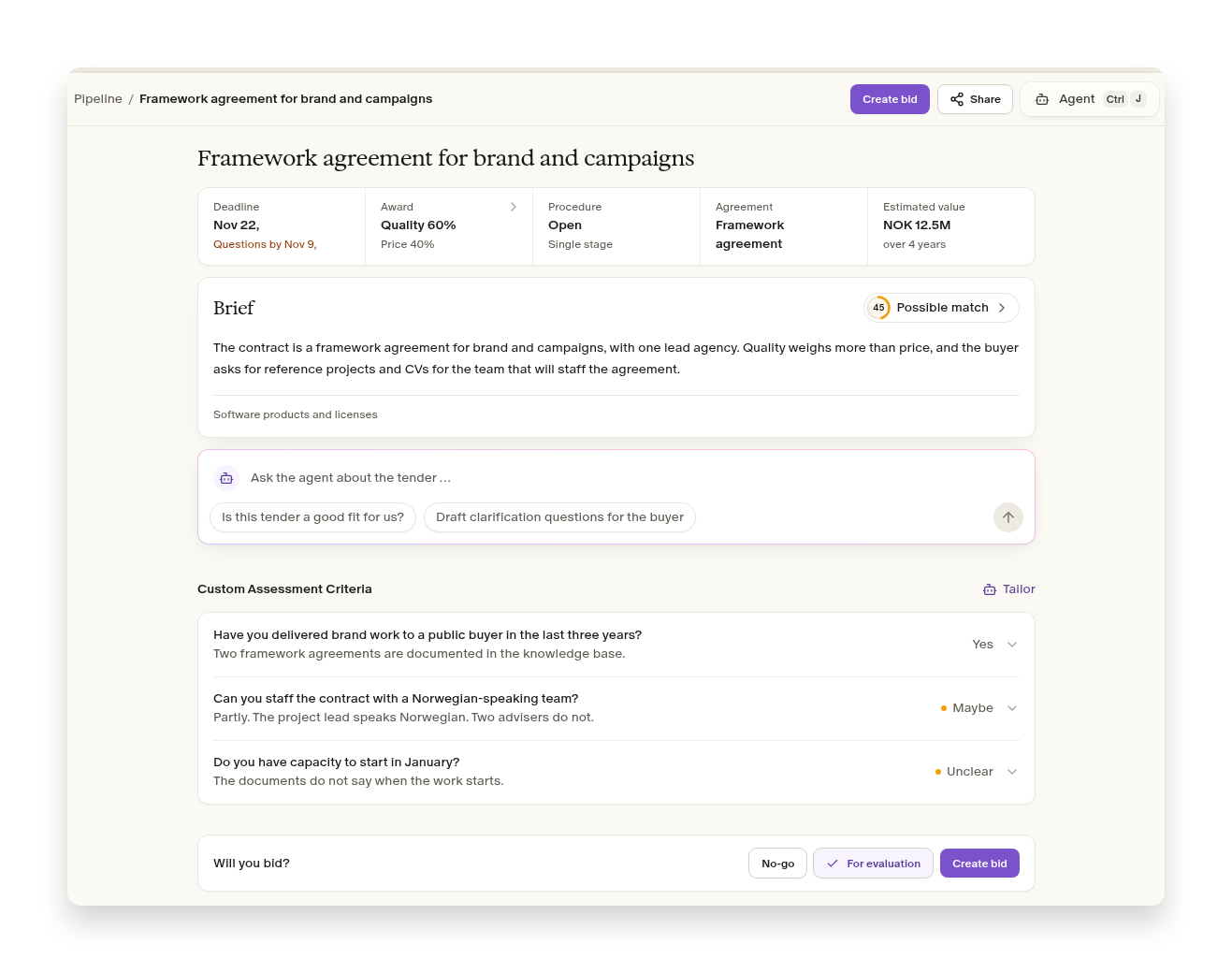
Deadline, award, procedure and estimated value sit at the top of the brief. You see at once whether the tender is worth a closer look. The brief itself is shorter and lifts what is particular about the contract, for example whether you need reference projects or CVs.
Directly below are the answers to your own assessment criteria. Then you choose no-go, for evaluation or create bid. If you choose no-go, the reason is saved, so the rest of the team sees why. If you choose create bid, the agent writes a first draft.
Read more about assessing tenders.
Everyone sees who owns the tender
Each tender has one owner and several participants. You see them on the tender and in the pipeline, so you no longer need a spreadsheet to keep track. If a colleague does not have a user, an administrator can invite them directly from the tender. Read more about inviting colleagues.
Let the agent do the routine work
Ask the agent to move a tender, set the owner or record the result, and the pipeline is up to date without you clicking through it. The agent shows which tenders it changed, so you can check and undo.
The agent can also tidy the knowledge base. It files attachments from the chat there, creates folders, moves files and renames them. Say, for example: “Move this year's reference projects to a separate folder.” Read more about the knowledge base.
Improvements in this version
- Brief
Qualification requirements more often match what the buyer actually asks for, and more often point to the right place in the document.
- Brief
The timeline shows the tender deadline even when it is missing or only approximate.
- Brief
The brief stays readable on small screens and when the agent is open beside it.
- Brief
Previous winners open the supplier's contracts, not only the one that looks most similar.
- Brief
When the morning brief is for one search or one workspace, the name comes first in the subject.
- Proposals
On a fill-in task you can choose the template already on the task, or upload your own file.
- Proposals
Price sheets are filled in smaller, checked passes, so the figures follow the template more closely.
- Proposals
Cover images in a bid template stay in place when the bid text is exported.
- ProposalsLarge Word files finish converting.
- Agent
A message you send while the agent is working is queued and sent when it is done.
- Agent
The agent tells you about files in the knowledge base it cannot search yet, and files that failed can be retried.
- Agent
PDFs that could not be read are tried another way, including heavy drawings.
- Agent
The agent writes references, prices and CV content from the sources or from you, and makes up content only when you ask for it.
- Connectors
Administrators can connect Dynamics 365, so the agent can use customer history, agreements and opportunities from there.
- User management
Administrators on Ultra and Enterprise can create their own roles.
- User management
AI capacity top-ups use the same price as the pricing page. Administrators buy them under Settings and Usage.
- Onboarding
Colleagues can ask for access when the company already has a workspace.
- Onboarding
The workspace is created as soon as you press “Get started”.
Smaller fixes and polish
- Pipeline
You can keep typing after @ when you mention a colleague in a comment.
- Pipeline
The tender deadline filter in the pipeline hits the days you selected.
- Pipeline
Email links open the workspace the link belongs to.
- Brief“Get from Mercell” in the brief starts the download.
- ProposalsClicking the task row opens the task.