Product updates
Dark mode
Cobrief now has dark mode across the whole app, with a choice between following your system, light or dark. Documents keep a paper-white background.
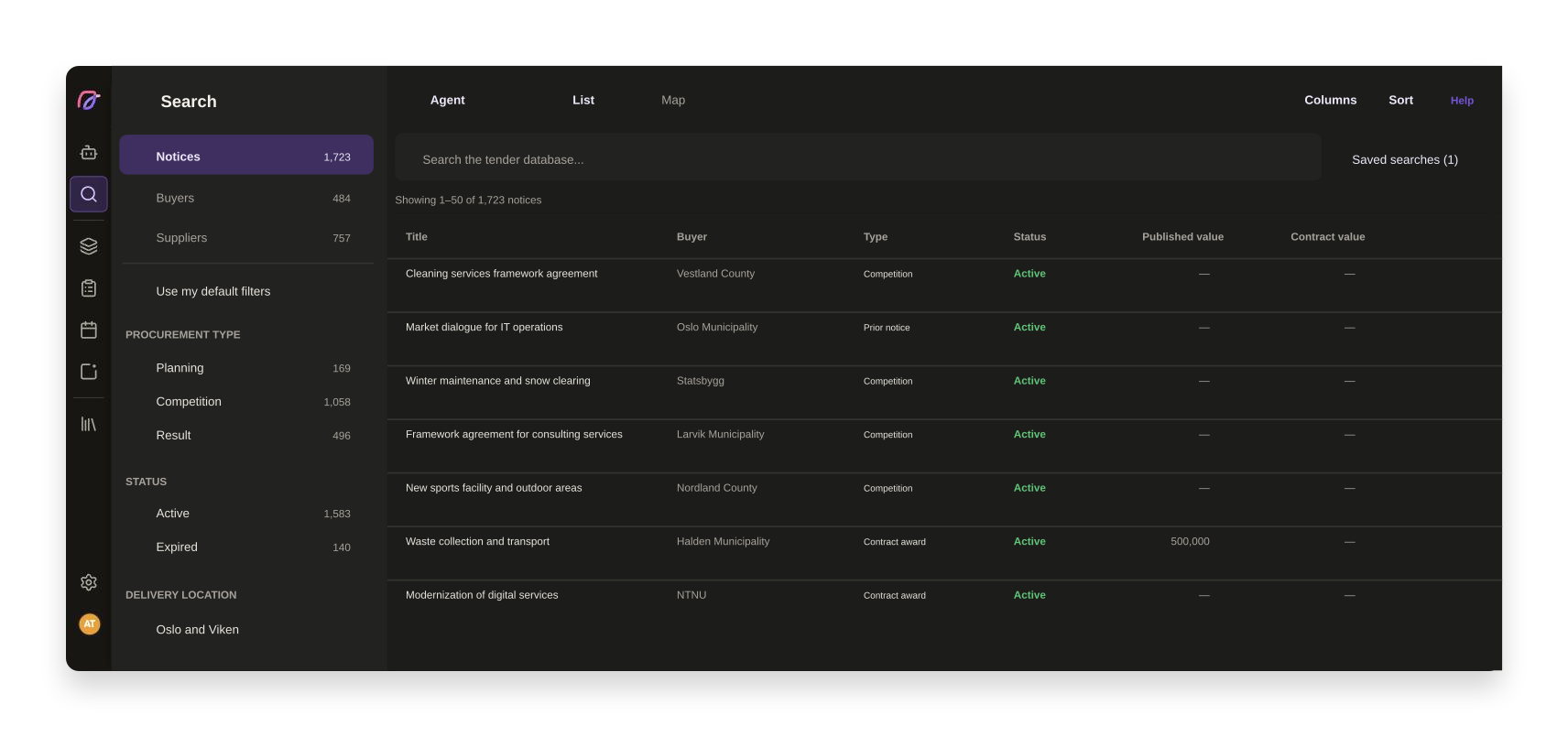
Tender work is screen work, and for many people the day stretches well past office hours. Dark mode has been one of the most requested things from you, and now it is here, across the whole app.
You choose between system, light and dark
The setting sits in the account menu in the bottom left and under Your profile. The two stay in sync, so you can switch wherever you happen to be, without hunting for the "right" place to do it.
Choose to follow the system and Cobrief changes along with your machine. Choose light or dark and it stays that way across sessions and any device you log in on. The whole app is covered: search, pipeline, tasks, calendar, bid rooms, market insights and the agent surface.
Documents are a deliberate exception. Tender documents, bid texts and templates keep a paper-white background even in dark mode, because that is how the text will actually look when it is submitted. You should never have to guess how a paragraph will read at the buyer's end.
We went through contrast and legibility in both modes along the way, rather than simply inverting the colours. Status colours, badges, tables, search highlights and form controls have their own values for dark backgrounds, and the borders around buttons and fields are strong enough to show where you can click. In a few places light mode got better from the same work: selected rows and card shadows are clearer than before.
Other improvements in this period
- User management
The main menu can be pinned open, so you see the names of the menu items instead of just icons. The choice is remembered for next time.
- Proposals
You can create a fill-in template straight from the bid room, instead of going via a task or the agent.
- AI bid manager
If the workspace runs out of AI capacity you now get an explanation with the reset date and a way forward, plus a warning before you hit the limit.
- AI bid manager
AI capacity is now enforced the same way across all AI features, not just in the chat.
- AI bid managerThe agent uses Claude Sonnet 5 as its default model.
- BriefEvaluation criteria are generated faster.
- User management
Pricing and plans has been cleaned up into a plain plan picker with a slider for AI capacity, and usage has its own tab.
- Proposals
Tender documents are available even when the side menu is collapsed, and the whole row is clickable.
Smaller fixes and polish
- User management
The error page is friendlier, with the agent and a way back.
- Tender searchPrivate tenders show a meaningful tab title.
- Tender search
Fixed a validation error for procurement codes with older organisation numbers.
- Tender search
The side menu highlights the inbox by default again.
- Proposals
Task filters no longer wrap over the header in narrow panels.
- Brief
The brief no longer shows text while the analysis is still running.
- User management
The appearance options in the profile dialog can be clicked across the whole row.
- AI bid manager
Action links containing parentheses in the agent chat point to the right place.
- User management
Fixed an issue where the subscription could show the wrong dates.