AI, Search and Performance
Over the past month, we have prepared the application for some new AI features that are just around the corner. We have launched an entirely new method for configuring procurement codes (CPV), improved search functionality, increased the quality of converting different document types like Word and PDF, introduced a new document reader for a better reading experience, and upgraded our AI models to be both faster and more efficient.
Over the past month, we have prepared the application for some new AI features that are just around the corner. We have launched an entirely new method for configuring procurement codes (CPV), improved search functionality, increased the quality of converting different document types like Word and PDF, introduced a new document reader for a better reading experience, and upgraded our AI models to be both faster and more efficient.
⚡️ New AI Features Are Just Around the Corner
Cobrief is an AI-powered tender tool where language models are actively used in many of our features. These features include search optimization, generation of tender briefs and more, providing great value for our customers. But this is just the beginning.
Our goal has always been to create a product that makes tenders write themselves. Over the past year, we have laid the groundwork to reach exactly such a point, and over the last month we have been preparing to soon launch a series of features that bring us closer to the goal. The first features will be launched already this June, and we will of course keep you updated on what's new, so stay tuned!
🧭 New and Smart Filtering
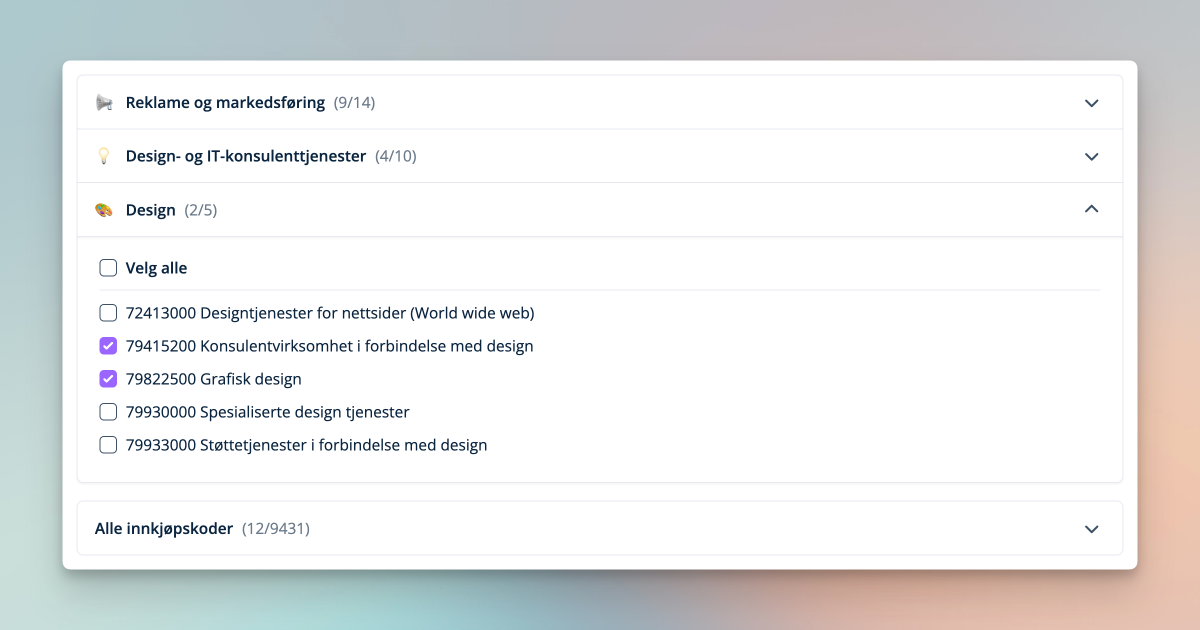
It is now easier than ever to navigate through the jungle of procurement codes (CPV) with our brand new suggestion engine. When you find one or more codes that you deliver on, Cobrief will sort the codes into service areas and suggest other relevant codes you can include. All suggestions are carefully selected to ensure you don't miss relevant tenders. This way, you can search and discover new codes entirely on your own.
In the video below, we explain how it works.
🔍 Search Has Improved
It is now even easier to find tenders in Cobrief. The super search at the top of the menu provides better results for what you are searching for, even when the search term is not a direct match. This makes it easier to find buyers, suppliers and contract awards. We have also launched a long-awaited search function that is available directly in your inbox. This makes it faster to find relevant competitions you are working on, or have worked on previously.

📄 New Document Reader with Better Conversion
The reading and navigation experience is extremely important when evaluating and writing tenders. We have now made a major upgrade in how we convert and interpret Word and PDF files. In addition, we have launched a new document reader that makes it more natural to review the tender documentation directly in Cobrief – and we will also make further improvements here going forward.
📦 Support for Uploading .zip Files
We now support uploading .zip files in the tender documentation, with fully automatic processing of files for AI interpretation in Cobrief. This means you no longer need to spend time extracting files before uploading them, allowing you to evaluate the tender faster.
💡 Other Changes
- Tender cards now display a title for the tender.
- Improvements on smaller screen sizes.
- Our AI models are now faster and more efficient.
🗓️ Next Month
New generative AI features are just around the corner. Stay tuned in the coming weeks - there's a lot to look forward to!
Do you have a suggestion for functionality in Cobrief, or have you experienced friction in the tender process? Send us a message via the chat at the bottom right of this page, and we will simplify things for you!