5 AI Tools We Use at Cobrief
Cobrief is an AI-powered tender tool designed to reduce the time spent responding to public tenders. While AI is central, a practical approach to technology use is important. The product should deliver value even without AI, but AI provides that extra edge.
Our Approach
Cobrief is an AI-powered tender tool designed to reduce the time you spend responding to public tenders. While AI is central to our product, it is important for us to have a practical approach to technology use. The product should deliver value even without the use of AI, but AI provides that extra edge.
We have the same approach to many of the apps we use in our daily work. In the list below, you can read about five AI tools that we use, and that also have a practical approach to the use of AI.

Arc Browser
Arc is a web browser developed by The Browser Company, based in Brooklyn, New York. This browser has gained popularity in the tech community for its minimalist design and innovative features, presenting itself as a fresh alternative in a market dominated by major players like Microsoft, Google, and Apple. The browser also has an entirely new approach to what a browser should be, where Arc's slogan says it all - "A Browser That Browses for You".
AI features in Arc:
- Browse for Me - An AI-powered search function that searches and summarizes relevant info from multiple websites based on the user's query and presents it to you.
- 5-Second Previews - Provides quick previews of the content behind links by hovering your cursor over them, generated by AI.
- Ask on Page (built-in ChatGPT) - Lets you ask questions on each page, with quick answers from AI.
- Tidy Tabs - Automatically organizes tabs and provides tidier, shorter titles for easier identification, generated by AI.

Notion
Notion is an all-in-one tool for documents, wikis, projects, and calendars. It may be the only real challenger to Google and Microsoft in this space. We use Notion for everything from sprint planning and notes to expense reports and marketing content production. We started using it long before AI became a central part of their product.
Notion is free for individual users, and if you are a member of a startup community like MESH in Oslo, they have agreements that can give you free use or large discounts for the first year. Forbes has described Notion as "Your AI everything app". And it is precisely with extremely good use of AI that Notion has done something truly unique.
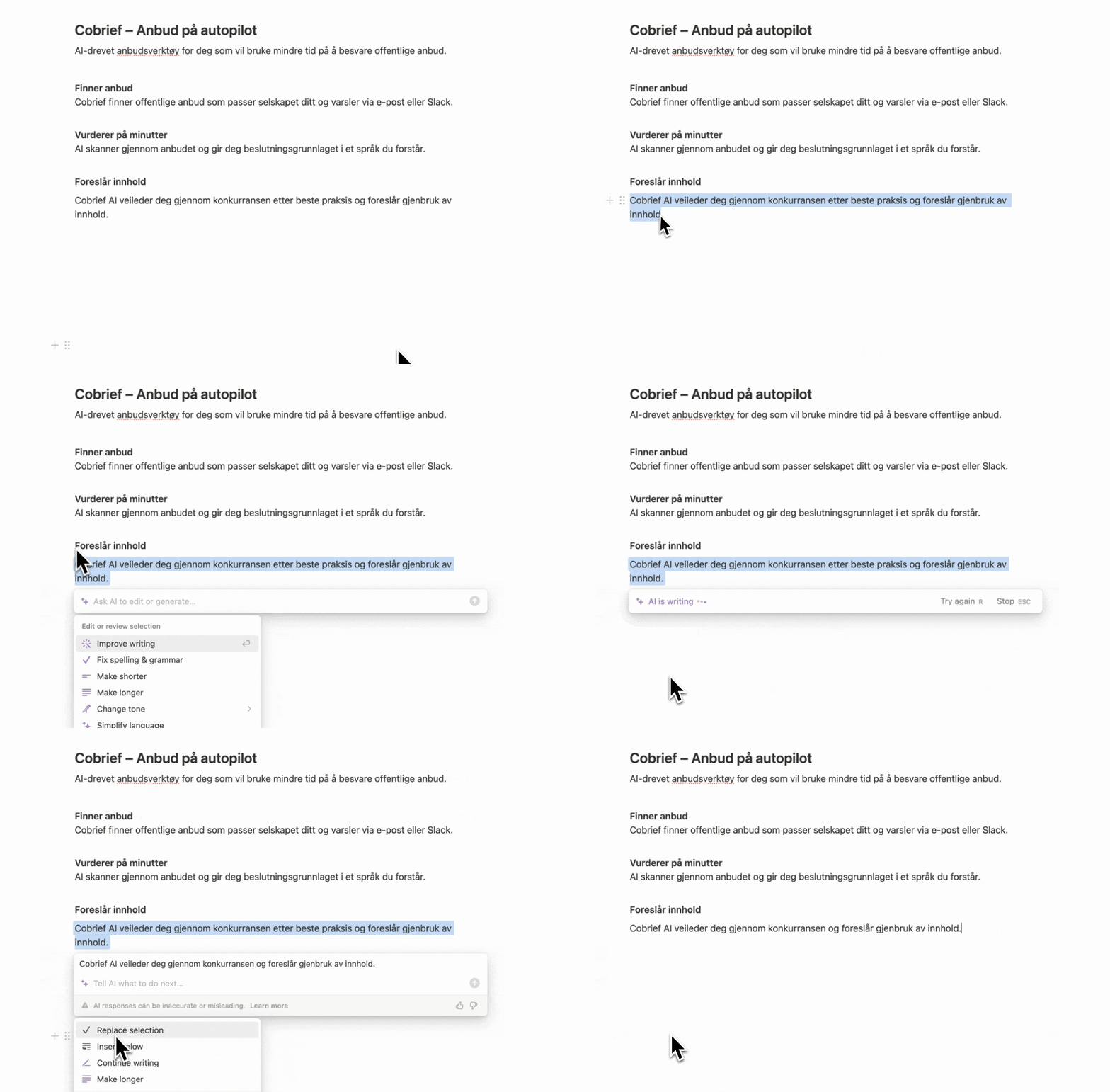
AI features in Notion:
- AI writing assistant: Improves and edits texts you write.
- Content production: Helps generate ideas and content drafts.
- Summaries: Can quickly summarize long texts or documents.
- Automation: Automates repetitive tasks and organizes information.

Superhuman
Superhuman is an email client designed to make email handling lightning fast through a minimalist interface. The program has a steep learning curve where most features are accessible via keyboard shortcuts. But once you get used to it, you can write and process emails very quickly. Superhuman integrates AI features to improve productivity, and is compatible with Google and Microsoft accounts.
Download and try Superhuman free for 30 days here.
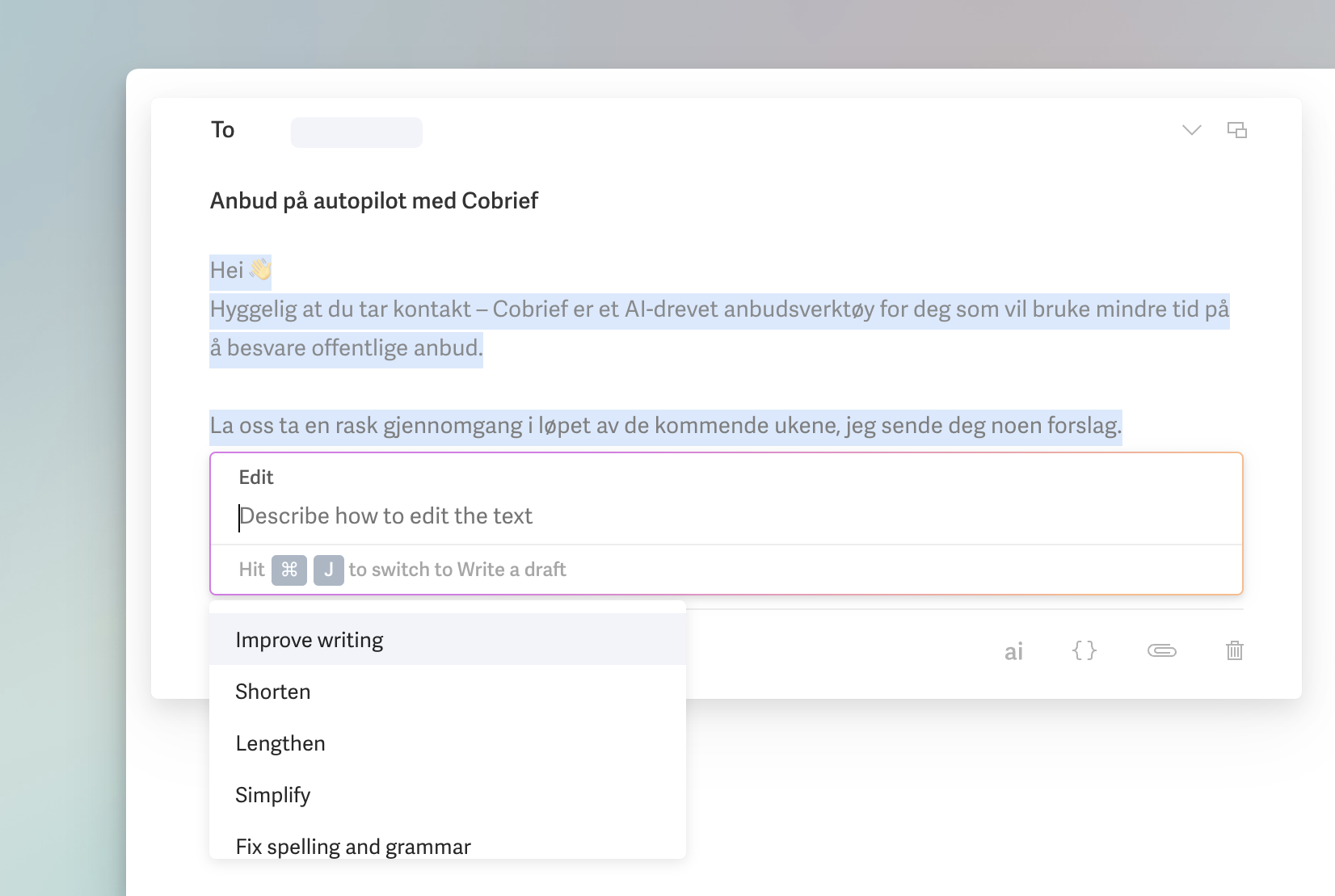
AI features in Superhuman:
- Text improvement: Suggests text improvements in emails.
- Summarization: Gives you quick summaries of long email threads.
- Inbox prioritization: Sorts and prioritizes emails based on content.
- Smart search: Accelerates the search for relevant emails.
Extra tip: We have also evaluated "Shortwave" as an email client, a younger company started by former Google Firebase employees. Shortwave has gone all-in on AI, and is worth checking out.

Photomator
Photomator is an advanced photo editing application developed specifically for Apple devices, including Mac, iOS, and iPadOS. The program offers seamless synchronization with iCloud and the camera roll, making it a strong competitor to Lightroom, especially with its focus on minimalism and user-friendliness.
Download and try Photomator for free here.
AI features in Photomator:
- AI-powered "ML" Features: Uses machine learning to automatically adjust images, making photo editing fast and efficient.
- Integrated filters: Comes with a selection of built-in filters that enhance images with a few clicks, where the filters automatically adjust based on the active ML features.
- Match Colors, Super Resolution, Denoise and Smart Deband: AI features that help you match the color profile of other images, increase image resolution, and automatically remove noise in images.

GitHub Copilot
GitHub Copilot, developed by GitHub in collaboration with OpenAI, is an AI-powered assistant designed to improve programming productivity. By suggesting complete lines or blocks of code based on the context it is given, Copilot helps developers write more accurate and efficient code faster.
Check out GitHub Copilot here.
AI features in GitHub Copilot:
- Code suggestions for multiple languages: Provides suggestions for Python, JavaScript, TypeScript, Ruby, and more.
- Full function suggestions: Generates complete functions based on a given description.
- Dynamic adaptation: Adjusts suggestions based on observed coding habits and preferences.
- Test generation: Produces test code to verify the effectiveness of functions.